Package Tiers
Package tiers are the retainer templates you sell. Define them once, assign them to any number of clients.
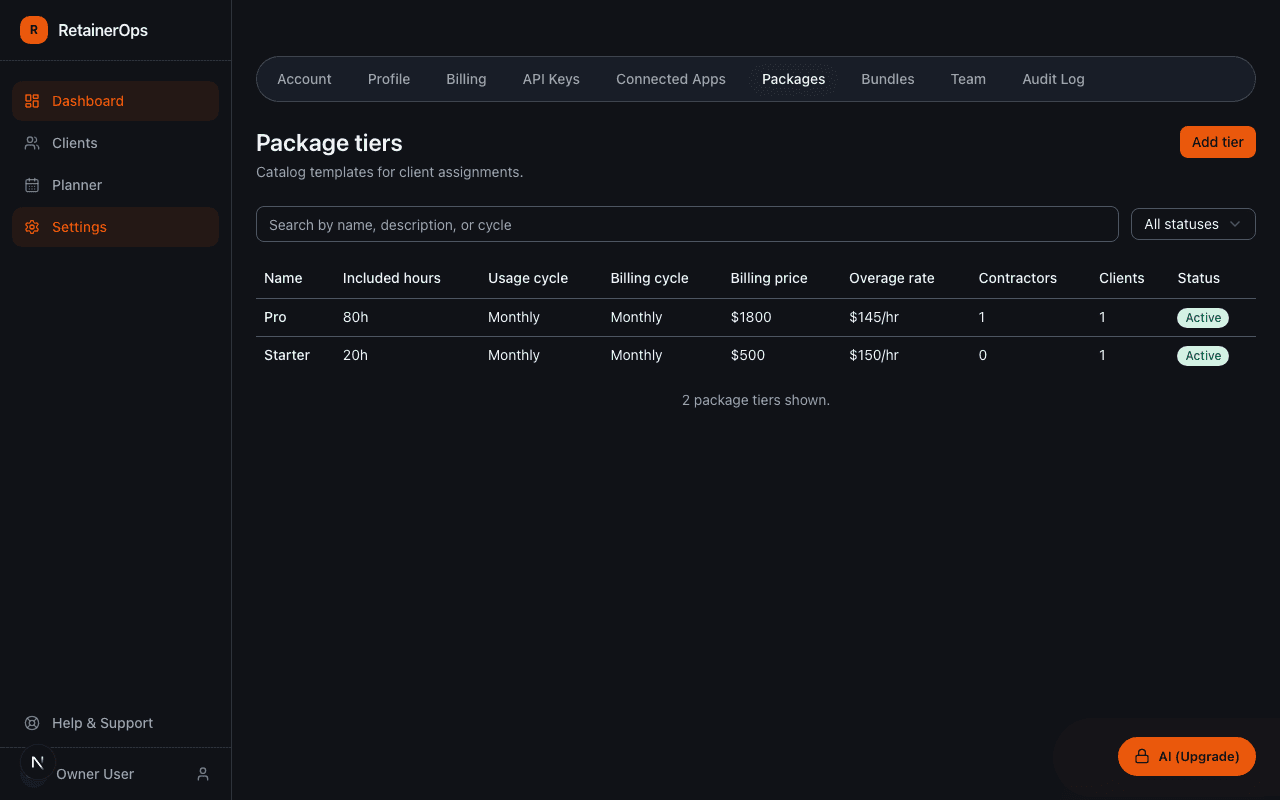
What is a package tier?
A package tier defines the structure of a retainer engagement: how many hours are included, how often the hours reset, what you charge, and what happens when a client goes over. Think of it as a retainer product in your catalog.
Once created, a package tier can be assigned to any client. The same tier can be active on multiple clients simultaneously.
Package tier fields
- Name — the internal name of the package (e.g. "Fractional CMO – 20 hrs/month")
- Description — optional notes about what's included in the package
- Included hours — the hours included each usage cycle before overage applies
- Usage cycle — how often the included hours reset: Monthly, Quarterly, Weekly, Daily, or Custom
- Billing price — the amount charged to the client for this package
- Billing cycle — how often the client is billed (separate from the usage cycle)
- Overage rate — the hourly rate billed for hours beyond the included amount
- Dedicated contractors — the number of people allocated to this package (informational)
- SLA notes — optional service level agreement details
Usage cycle vs. billing cycle
These are two independent settings. A client might be billed quarterly but have their hours reset monthly. For example, a "Quarterly Retainer – 60 hrs" might have:
- Usage cycle: Quarterly (60 hours resets every quarter)
- Billing cycle: Monthly (invoiced monthly)
Overage rates
When a client's logged time exceeds their included hours, the additional hours are tracked as overage. The overage rate on the package tier is the default rate used to calculate overage billing, but you can override it per client at the assignment level.
Deactivating a package tier
If you stop offering a package, you can mark it inactive. Inactive tiers are hidden from the assignment UI but existing assignments are not affected.