Task Bundles
Task bundles are reusable templates — a named group of tasks you can apply to any client in one click.
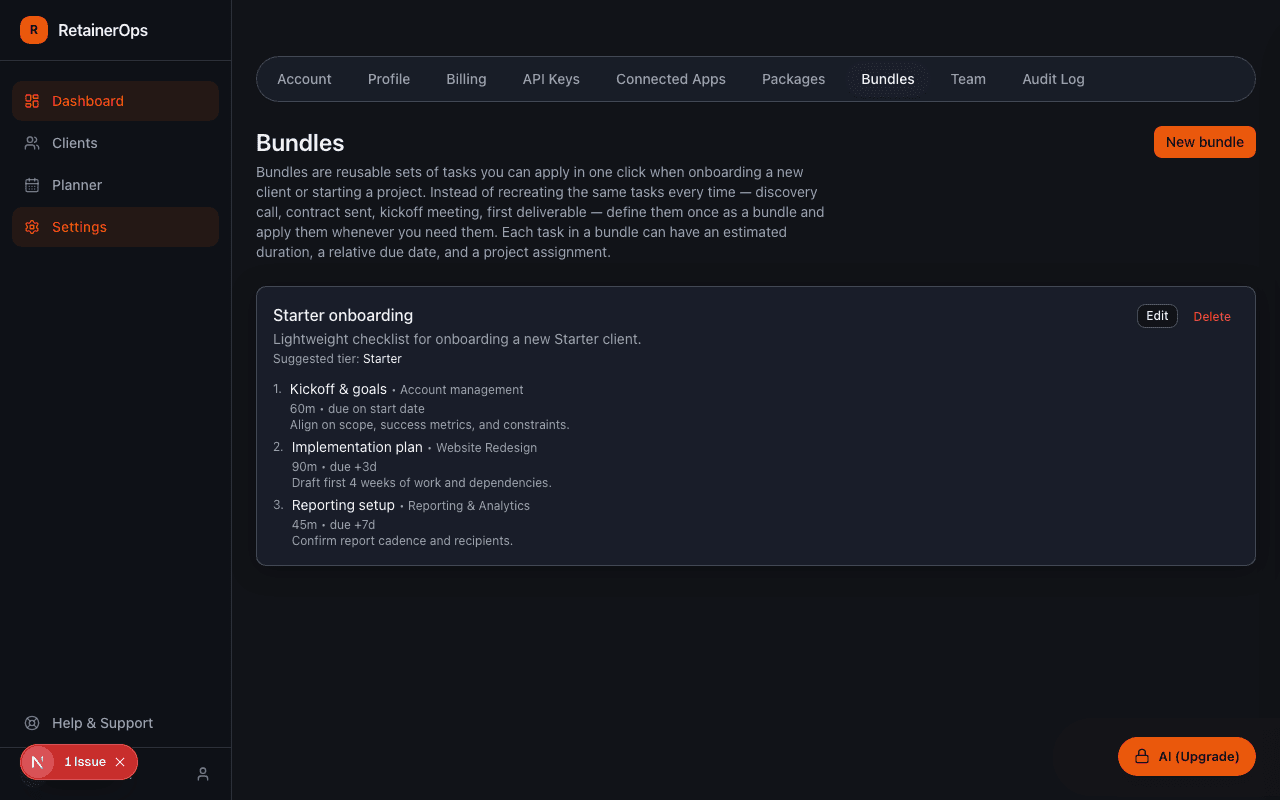
What is a task bundle?
A task bundle is a pre-defined list of tasks that you commonly create together. For example, you might have an "Agency Onboarding" bundle with tasks like "Gather brand assets", "Schedule kickoff call", "Set up shared folder", and "Draft 90-day plan".
Instead of creating these tasks from scratch for every new client, you apply the bundle and all tasks are created instantly.
Creating a bundle
Go to Settings → Task Bundles → New Bundle. Give the bundle a name and add task definitions. Each task in the bundle can have:
- Title (required)
- Description
- Estimated minutes
- Importance and urgency
- A relative due date offset (e.g. "due 3 days after bundle is applied")
Applying a bundle
From a client detail page, click Apply Bundle, select the bundle, and confirm. All tasks in the bundle are created for that client immediately, with due dates calculated from the current date using the defined offsets.